- Applications
- Personalization
Wallpapers for Samsung 4K
| Install | 7.5 K |
| From 28 Rates | 4 |
| Category | Personalization |
| Size | 20 MB |
| Last Update | 2026 February 24 |
| Install | 7.5 K |
| From 28 Rates | 4 |
| Category | Personalization |
| Size | 20 MB |
| Last Update | 2026 February 24 |
Images
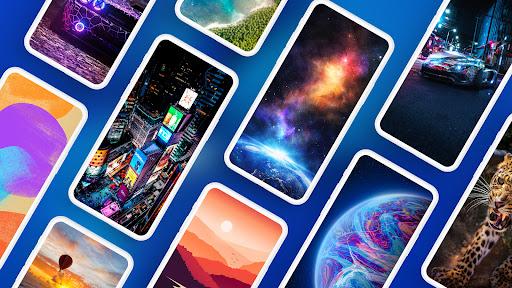
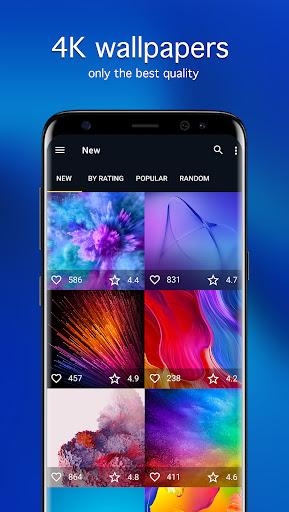


Introduction
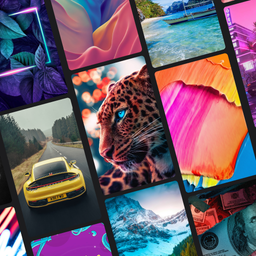
4K, 6K, and 8K wallpapers for Samsung Galaxy devices.
Find a matching background fast with search and clean navigation.
Set an automatic change schedule for your home screen and lock screen.
Choose an image for any mood or theme, then apply it in a couple of taps. Browse when you want inspiration, or use search when you already know what you’re after. Looks natural on One UI. Everything stays simple: browse, choose, and apply.
Main features of 7Fon
• Large collection of images and backgrounds across many themes, from calm to bold.
• High resolution: Full HD, 4K, 6K, 8K for a crisp look on your screen.
• Manual moderation helps keep the catalog focused on quality and pleasant to browse.
• 70+ categories plus sorting by newest, rating, and popularity to find strong picks faster.
• Search by keywords, tags, and colors to match your style, theme, or icons.
• Preview, crop, and apply with separate options for each screen, so it fits just right.
• Download for later: save to your gallery or an SD card (if supported) and apply when convenient.
• Preview quality settings help reduce mobile data use when you’re not on Wi‑Fi.
Automatic change
Add images to favorites, choose the source and interval, and your background updates automatically. Use it as a simple wallpaper changer and refresh your phone’s look without extra steps. Pick a pace that feels right, and the app will rotate images on its own.
More useful
• Notifications for picture of the day and picture of the week, so you don’t miss new picks.
• Works with different launchers and fits screens of different resolutions.
• Use a selected image as a chat background in WhatsApp and other messengers.
How to set
1. Choose an image and open it.
2. Adjust the framing to fit your screen.
3. Tap Set and choose: home screen, lock screen, or both.
If you’re looking for wallpapers for your phone or backgrounds for Android, try 7Fon.


Related Applications




Users Also Installed





Similar Applications