- Applications
- Tools
Volume Control: Show Native

| Install | 250 |
| From 4 Rates | 5 |
| Category | Tools |
| Size | 413 KB |
| Last Update | 2026 January 10 |

| Install | 250 |
| From 4 Rates | 5 |
| Category | Tools |
| Size | 413 KB |
| Last Update | 2026 January 10 |
View the antivirus scan results
Images


Introduction
More Info
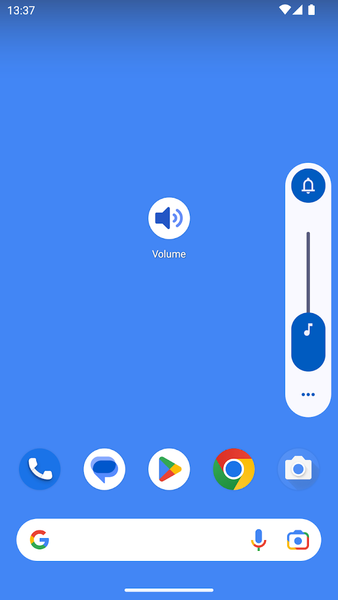
If the volume buttons are broken on your phone, show the native volume control with a simple tap! Yes, that's all the app will do ;-)
No ads or data collected!
Want a floating Volume control? Long press on the app icon and then choose Settings from the pop-up menu. Floating control will be shown over other apps. Drag to reposition and long press it to show the Settings (this can also be changed to only allow dragging with a long press).
Use a Quick Settings tile (for Android 7 and above) to show a control above the Notifications panel.
Shortcut actions available (for Android 7.1 and above) - long press the app icon to set the mode:
- Normal
- Silent
- Vibration
User Reviews - 4 Rates
5 from 5
5
4
3
2
1

عارفه
خوبه

Sr
اپ ساده و کوچیک ولی بسیار کارامد و مفید عمر دکمه ولوم گوشی بسیار بالا میره
Related Applications









Users Also Installed

Pitch Black Wallpaper
Personalization

Sleep Timer (Audio & Video)
Lifestyle

4K Wallpapers - PhoneWalls
Personalization

XEQ: Headphones Bass EQ
Music & Audio

Big Font (change font size)
Tools

Screen Alive - keep screen on
Education

Tooly All Tools In One Toolbox
Tools

App Killer: Close Running Apps
Education

Assistive Volume Button
Music & Audio

Volume Control
Music & Audio